
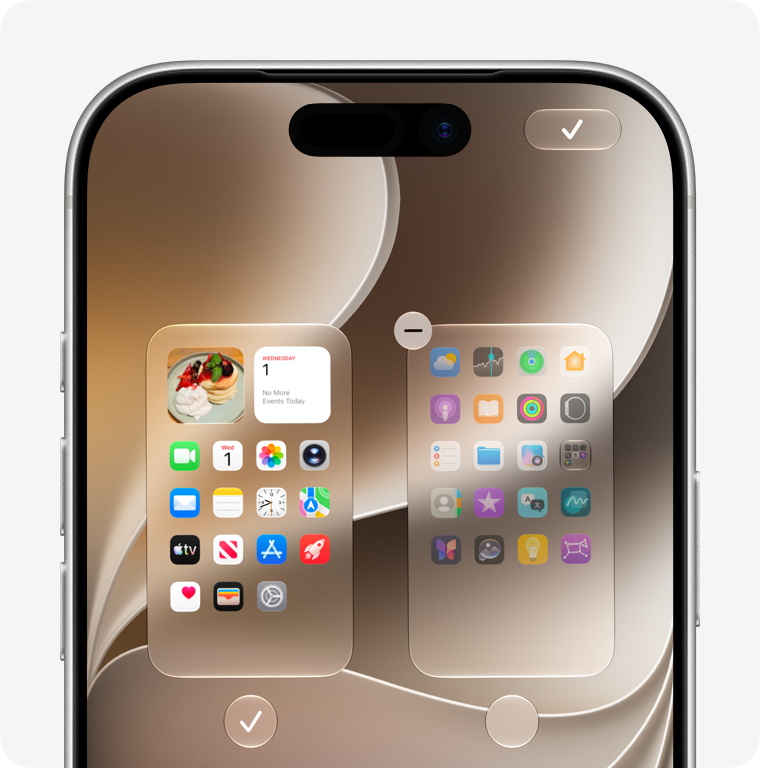
iPhone includes Apple apps for everyday tasks such as communication, browsing, photos, navigation and planning. The exact selection can vary with your software version and region, and a restored backup may make a new phone look different. A missing Home Screen icon does not necessarily mean an app was never included.
Common Apple apps to look for
Use this task-based checklist to find a starting point. Apple’s Apps by Apple directory explains its apps across devices; that wider catalog also contains optional downloads, so it is not a universal list of preinstalled iPhone software.
- Communication and the web: Phone, Messages, FaceTime, Mail, Contacts and Safari.
- Photos and files: Camera, Photos and Files.
- Planning and notes: Calendar, Reminders, Notes, Clock and Voice Memos.
- Getting around and checking the day: Maps, Weather, Compass and Find My.
- Other everyday tools: Calculator, Settings, Wallet and Health.
Start with the app that matches the task you need today. You do not have to arrange every icon before the phone becomes useful.
Why is an app missing from my Home Screen?
Swipe down on the Home Screen and search for its name. If it appears, open it from the results. You can also swipe past your Home Screen pages to reach App Library. An app can remain installed there even when its Home Screen page is hidden.
To restore its icon, touch and hold the app in App Library and drag it onto a Home Screen page. Apple’s missing-app troubleshooting guide also explains hidden pages and the Hidden folder. These are separate situations; searching alone will not reveal an app you deliberately hid.
Can I delete and reinstall Apple apps?
Many built-in apps can be deleted. Apple’s supported removal list includes Calendar, Files, Mail, Maps, Notes, Reminders and others. Removal can also affect related features or an Apple Watch, so check the app-specific notes before deleting something you rely on.
To restore a deleted Apple app, search for its exact name in the App Store and use the redownload control on the correct Apple listing. Removing an icon from the Home Screen and deleting the app are different actions.
Which extra apps should I install?
Try the included tool first, then identify what it cannot do for you. For third-party choices, our App Store rankings show current chart positions and app details. A high chart position is a discovery signal, not proof that an app fits your needs.
Checked October 15, 2026. Screenshot: Apple’s official support guide. Availability and removable apps vary by software version and region.