
Flashcards Deluxe is an iPhone study app for building and reviewing your own flashcard decks. Our old article, “A Deluxe Way to Study,” covered the same app under Apple ID 307840670. This updated guide connects that earlier coverage to the current official download.
What can Flashcards Deluxe do?
The current App Store listing describes optional spaced repetition, cards with up to five sides, and support for pictures and audio. You can create cards in the app or import them from a spreadsheet or text file. Study options include multiple-choice questions, spelling practice and offline text-to-speech.
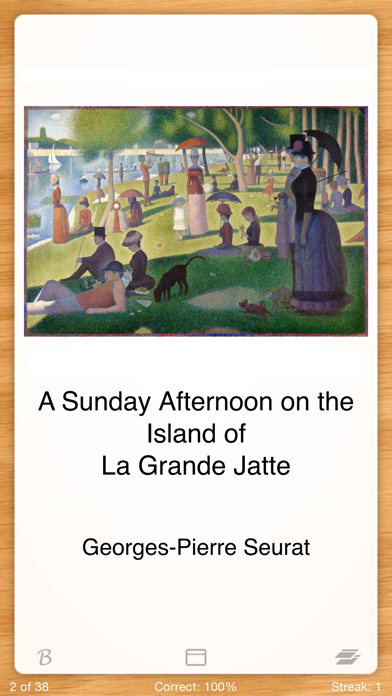
Those options suit different kinds of material: a vocabulary card might separate a word, its meaning and an example sentence; an art-history card might pair a painting with its title and artist. The official screenshot supplied by the developer shows the latter approach.
Start with a small, focused deck
Pick one topic and write questions you can answer without looking at your notes. Keep each card focused on one idea. Try a short deck before importing a large collection, so you can check that the question and answer appear on the intended sides.
For material you need to revisit, try the optional spaced-repetition mode. For a quick self-check, a simple review or quiz may be enough. If you import cards from an AI tool or a shared collection, check their accuracy against your course material before studying them. Keep a separate copy of your source notes.
Price, compatibility and official links
On October 15, 2026, Apple’s US listing showed a $4.99 purchase, optional donation purchases and a requirement for iOS 17.6 or later. The developer describes the app as a one-time purchase without a required subscription. Prices and requirements can change, so check the listing before buying.
Get Flashcards Deluxe on the App Store, or visit OrangeOrApple, the developer’s website. Apple also lists a free Lite version if you want to explore the app first.
For more current apps to explore, see our iPhone App Store rankings.
Sources: Apple’s current US listing and our archived original article. Product imagery comes from the developer’s App Store listing. This is a researched guide, not a hands-on review of the current release.